Customise Your WorkPro


Trusted By 1700+ businesses in Australia & New Zealand




Customise WorkPro to Elevate Your Brand Experience
WorkPro's customisable features are designed to streamline your processes and create the best first impressions.
From tailored portal to bespoke screening, training, and document management, WorkPro is committed to providing a seamless and professional experience that reflects your company's identity.
Customised Solutions Tailor-Made for your Business
Branded Portal
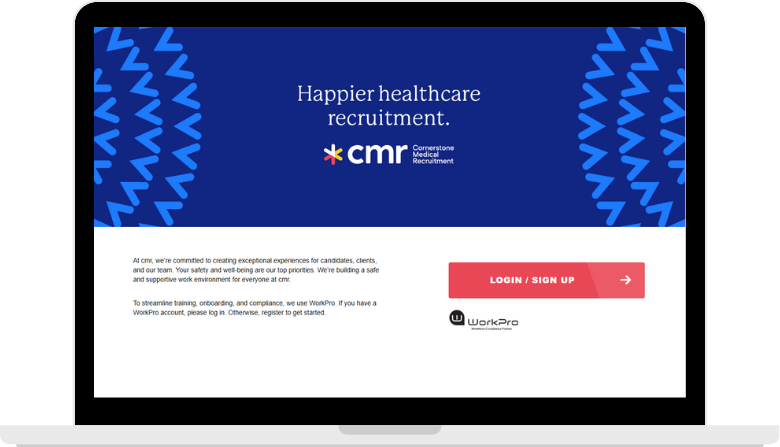
Put your best foot forward and create a lasting first impression for your users with a custom login page.
A branded portal continues the brand experience for workers, candidates and corporate users. Whether it’s completing a Work Rights Check, starting an eLearning induction or uploading a licence, you’ll be there with them.

Personalised login page
Created using your brand guidelines
Unique URL
Get a customised URL to embed on your website
Hosted and managed for you
WorkPro will host, manage and maintain the page for you
Get up & running quickly
We’ll ensure your branded WorkPro portal is live and ready to use fast
Branded Communications
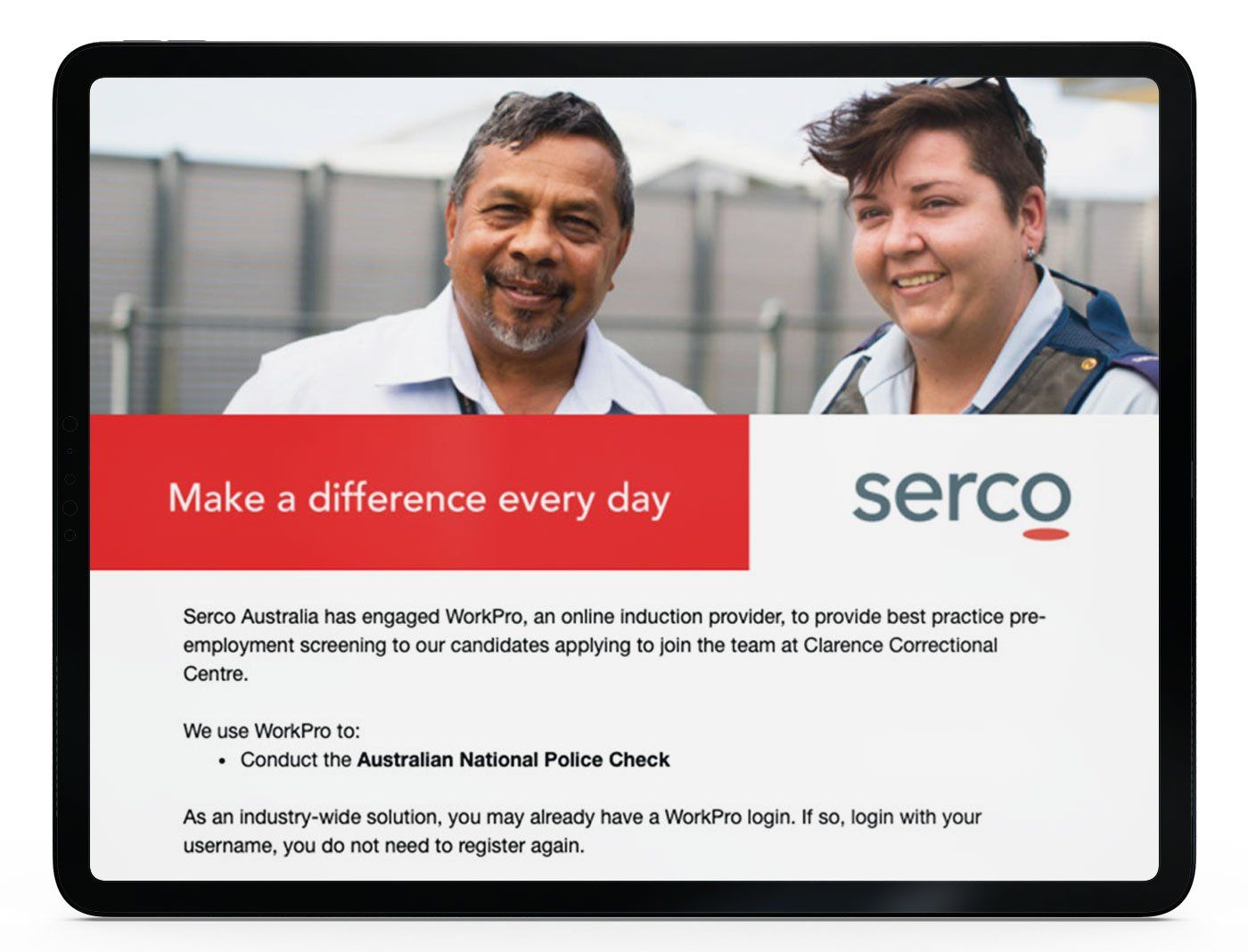
Extend your brand interactions and delight your users by adding your corporate identity to WorkPro communications.
Keep the familiarity with your people going as they move through the screening and induction process.
Personalise your emails & notifications for:
Communicating with your candidates
Communicate with your candidates with tools that are branded to you help boost credibility and trust, no more 3rd party brands to confuse your candidates
Custom Branded Content
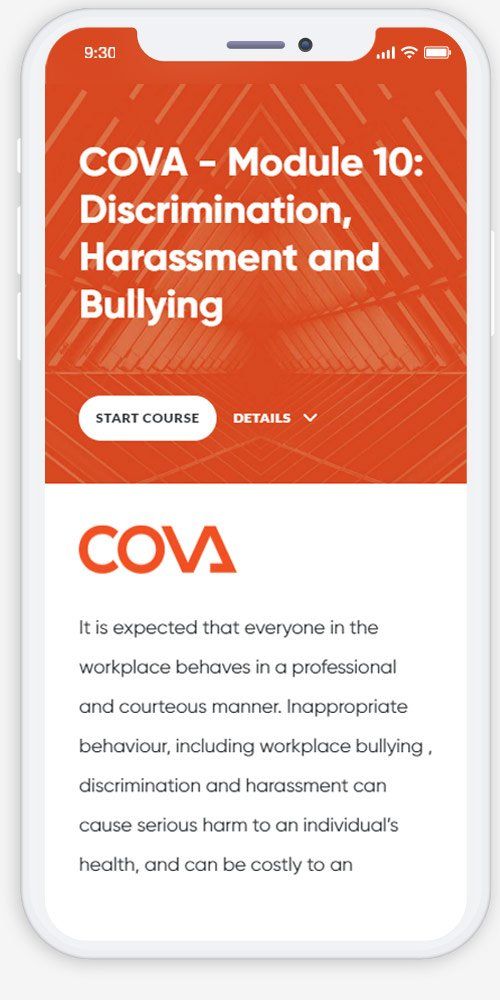
Enhance the worker and candidate learning experience by building your own custom WorkPro modules.
Add your existing eLearning modules to the WorkPro library, digitally transform your manual internal policies, procedures or training, or take our pre-built modules and supplement them with your own content to create personalised learning for your workforce.
Take your inductions & learning online
Transform manual training documents into digital learning modules
Track & manage it from a dashboard
Track and monitor completion of your own content, digitally
Prove compliance anywhere, anytime
Create an electronic audit trail and see non-compliance instantly across your business
A centralised training solution
Deliver and manage all of your workforce policies, procedures and training – from one platform
Frequently Asked Questions
Why would a business want to customise its workforce compliance platform?
A business may want to customise its workforce compliance platform so the experience aligns with its brand, internal processes, and workforce requirements. This can help create a more consistent experience for candidates, workers, and internal teams while supporting the way the organisation actually operates.
What parts of a workforce compliance process are usually worth customising?
The parts most often worth customising are branding, communications, learning content, document requirements, internal policies, and workflow steps. The right areas to customise depend on whether the business wants stronger brand consistency, better user experience, or closer alignment with internal compliance processes.
How does custom branding affect the candidate or worker experience?
Custom branding can make the process feel more consistent and recognisable from the first interaction. This can help candidates and workers feel more confident that they are engaging with an official process linked to the organisation they are joining or working with.
When should a business use custom learning content instead of standard training content?
A business should use custom learning content when internal policies, procedures, site rules, or induction requirements are specific to the organisation and cannot be fully covered by standard training alone. This is especially useful where internal expectations need to be communicated clearly and tracked consistently.
Can internal policies and manual training materials be turned into trackable digital learning?
Yes. Internal policies, onboarding materials, and manual training content can often be turned into digital learning so they are easier to deliver, complete, and monitor. This helps businesses move away from fragmented manual processes and create clearer evidence of completion.
What should an employer consider before customising a compliance or learning workflow?
An employer should consider what parts of the process truly need to reflect internal requirements, what must stay consistent across the workforce, and how the customised elements will be maintained over time. The goal should be to improve clarity and control, not to make the process unnecessarily complex.
How can customised communications support compliance and completion rates
Customised communications can support compliance and completion rates by making requests, reminders, and instructions feel more relevant and recognisable to the recipient. Clear and consistent messaging can reduce confusion and improve response rates across screening, training, and document collection processes.
What should a business look for when customising training or compliance content?
A business should look for a process that supports clear structure, easy updates, consistent tracking, and secure access for the right users. The customised content should remain practical, current, and closely tied to actual workforce requirements.
How do customised workflows support larger or multi-site organisations?
For larger or multi-site organisations, customised workflows can help create consistency while still reflecting internal processes, role differences, or site requirements. This can support better oversight and reduce variation in how screening, training, and compliance activities are managed across the business.
What records should a business keep for customised training or compliance processes?
A business should keep records of what content or requirement was assigned, when it was completed, what version was in use at the time, and any follow-up or non-compliance actions linked to it. These records should be stored securely and accessed only by authorised people.
Why does mobile access matter in a customised workforce process?
Mobile access matters because many candidates and workers are not completing tasks from a desk-based environment. A process that works well across devices can make it easier for people to complete requirements on time and reduce delays caused by access issues.
What should a business look for when choosing a platform that supports customisation?
A business should look for a platform that allows brand alignment, flexible workflow design, clear tracking, secure recordkeeping, and practical support for maintaining customised elements over time. The main issue is not just whether customisation is possible, but whether it remains manageable and useful as the organisation grows.